Thursday, June 25, 2009

HARDWARE PROTECTION

Dual Mode Operation

  • Sharing system resources requires operating system to ensure that an incorrect program cannot cause other programs to execute incorrectly.
  • Provide hardware support to differentiate between at least two modes of operations.
  1. Users mode - execution done on behalf of a user.
  2. Monitor mode - execution done on behalf of operating system.

  • Mode bit added to computer hardware to indicate the current mode: monitor(0) or user(1).
  • When an interrupt or fault occurs hardware switches to monitor mode
  • Privileged instruction can be issued only in monitor mode.

I/O Protection

  • All I/O instruction are priviliged instruction.
  • Must ensure that a user program could never gain control of the computer in monitor mode (i.e., a user program that, as part of its execution, stores a new address in the interrupt vector).

Memory Protection

  • Must provide memory protection at least for the interrupt vectorand the interrupt service routines.
  • In order to have memory protection, add two registers thatdetermine the range of legal addresses a program may access:

base register – holds the smallest legal physical memoryaddress.

limit register – contains the size of the range.

  • Memory outside the defined range is protected.

CPU Protection

  • to prevent a user programs gets stuck in infinite loop and never returning back to the os

STORAGE STRUCTURE

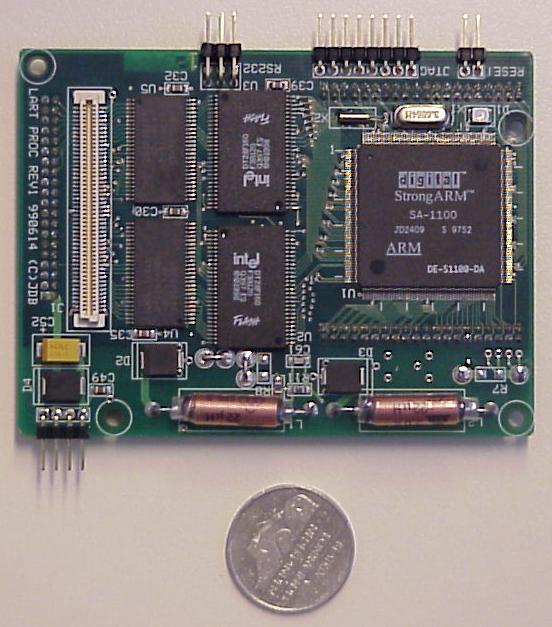
  • The main memory of the computer is also known as RAM, standing for Random Access Memory. It is constructed from integrated circuits and needs to have electrical power in order to maintain its information. When power is lost, the information is lost too! It can be directly accessed by the CPU. The access time to read or write any particular byte are independent of whereabouts in the memory that byte is, and currently is approximately 50 nanoseconds (a thousand millionth of a second). This is broadly comparable with the speed at which the CPU will need to access data. Main memory is expensive compared to external memory so it has limited capacity. The capacity available for a given price is increasing all the time. For example many home Personal Computers now have a capacity of 16 megabytes (million bytes), while 64 megabytes is commonplace on commercial workstations. The CPU will normally transfer data to and from the main memory in groups of two, four or eight bytes, even if the operation it is undertaking only requires a single byte.


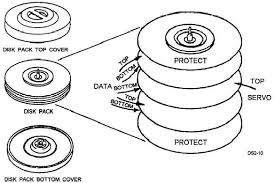
  • Magnetic Disk a memory device, such as a floppy disk or a hard disk, that is covered with a magnetic coating. Digital information is stored on magnetic disks in the form of microscopically small, magnetized needles, each of which encodes a single bit of information by being polarized in one direction (representing 1) or the other (representing 0).


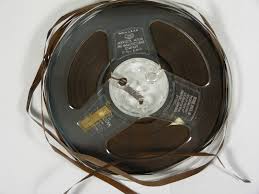
  • Magnetic tape is a medium for magnetic recording generally consisting of a thin magnetizable coating on a long and narrow strip of plastic. Nearly all recording tape is of this type, whether used for recording audio or video or for computer data storage. It was originally developed in Germany, based on the concept of magnetic wire recording. Devices that record and playback audio and video using magnetic tape are generally called tape recorders and video tape recorders respectively. A device that stores computer data on magnetic tape can be called a tape drive, a tape unit, or a streamer.
    Magnetic tape revolutionized the broadcast and recording industries. In an age when all
    radio (and later television) was live, it allowed programming to be prerecorded. In a time when gramophone records were recorded in one take, it allowed recordings to be created in multiple stages and easily mixed and edited with a minimal loss in quality between generations. It is also one of the key enabling technologies in the development of modern computers. Magnetic tape allowed massive amounts of data to be stored in computers for long periods of time and rapidly accessed when needed.
    Today, many other technologies exist that can perform the functions of magnetic tape. In many cases these technologies are replacing tape. Despite this, innovation in the technology continues and tape is still widely used.


Tuesday, June 23, 2009

1. Bootstrap Progam

  • bootstrapping (from an old expression "to pull oneself up by one's bootstraps") is a technique by which a simple computer program activates a more complicated system of programs. In the start up process of a computer system, a small program such as BIOS, initializes and tests that hardware, peripherals and external memory devices are connected, then loads a program from one of them and passes control to it, thus allowing loading of larger programs, such as an operating system.
    A different use of the term bootstrapping is to use a compiler to compile itself, by first writing a small part of a compiler of a new programming language in an existing language to compile more programs of the new compiler written in the new language. This solves the "chicken and egg" causality dilemma.

2. Difference of interrupt and trap and their use

  • Interrupt is generally initiated by an I/O device, and causes the CPU to stop what it's doing, save its context, jump to the appropriate interrupt service routine, complete it, restore the context, and continue execution. For example, a serial device may assert the interrupt line and then place an interrupt vector number on the data bus. The CPU uses this to get the serial device interrupt service routine, which it then executes as above.
  • Trap is usually initiated by the CPU hardware. When ever the trap condition occurs (on arithmetic overflow, for example), the CPU stops what it's doing, saves the context, jumps to the appropriate trap routine, completes it, restores the context, and continues execution. For example, if overflow traps are enabled, adding two very large integers would cause the overflow bit to be set AND the overflow trap service routine to be initiated.

3. Monitor Mode

  • Monitor mode, or RFMON (Radio Frequency Monitor) mode, allows a computer with a wireless network interface card (NIC) to monitor all traffic received from the wireless network. Unlike promiscuous mode, which is also used for packet sniffing, monitor mode allows packets to be captured without having to associate with an access point or ad-hoc network first. Monitor mode only applies to wireless networks, while promiscuous mode can be used on both wired and wireless networks. Monitor mode is one of the six modes that 802.11 wireless cards can operate in: Master (acting as an access point), Managed (client, also known as station), Ad-hoc, Mesh, Repeater, and Monitor mode.

4. Users Mode

  • User-mode Linux (UML) enables multiple virtual Linux systems (known as guests) to run as an application within a normal Linux system (known as the host). As each guest is just a normal application running as a process in user space, this approach provides the user with a way of running multiple virtual Linux machines on a single piece of hardware, offering excellent security and safety without affecting the host environment's configuration or stability.

5. Device Status Table

  • Is there a way to get any third-party devices that are regularly sending SNMP traps to CIM7 to show up in the Device Status field relating to the trap severity? I am getting plenty of major error messages from one of my switches, but the device is still showing as normal.

6. Direct Memory Access (DMA)

Direct memory access (DMA) is a feature of modern computers and microprocessors that allows certain hardware subsystems within the computer to access system memory for reading and/or writing independently of the central processing unit. Many hardware systems use DMA including disk drive controllers, graphics cards, network cards and sound cards. DMA is also used for intra-chip data transfer in multi-core processors, especially in multiprocessor system-on-chips, where its processing element is equipped with a local memory (often called scratchpad memory) and DMA is used for transferring data between the local memory and the main memory. Computers that have DMA channels can transfer data to and from devices with much less CPU overhead than computers without a DMA channel. Similarly a processing element inside a multi-core processor can transfer data to and from its local memory without occupying its processor time and allowing computation and data transfer concurrency.
Without DMA, using
programmed input/output (PIO) mode for communication with peripheral devices, or load/store instructions in the case of multicore chips, the CPU is typically fully occupied for the entire duration of the read or write operation, and is thus unavailable to perform other work. With DMA, the CPU would initiate the transfer, do other operations while the transfer is in progress, and receive an interrupt from the DMA controller once the operation has been done. This is especially useful in real-time computing applications where not stalling behind concurrent operations is critical. Another and related application area is various forms of stream processing where it is essential to have data processing and transfer in parallel, in order to achieve sufficient throughput.

7. Difference of RAM and DRAM

  • RAM (Random Access Memory) is a generic name for any sort of read/write memory that can be, well, randomly accessed. All computer memory functions as arrays of stored bits, "0" and "1", kept as some kind of electrical state. Some sorts support random access, others (such as the flash memory used in MP3 players and digital cameras) has a serial nature to it. A CPU normally runs through a short sequence of memory locations for instructions, then jumps to another routine, jumps around for data, etc. So CPUs depend on dynamic RAM for their primary memory, since there's little or no penalty for jumping all around in such memory.

  • Dynamic RAM. This refers to a sort of memory that stores data very efficiently, circuit-wise. A single transistor (an electronic switch) and a capacitor (charge storage device) store each "1" or "0". An alternate sort is called Static RAM, which usually has six transistors used to store each bit. The advantage of the DRAM is that each bit can be very small, physically. The disadvantage is that the stored charge doesn't last really long, so it has to be "refreshed" periodically. All modern DRAM types have on-board electronics that makes the refresh process pretty simple and efficient, but it is one additional bit of complexity. There are various sorts of DRAM around: plain (asynchronous) DRAM, SDRAM (synchronous, meaning all interactions are synchronized by a clock signal), DDR (double-data rate... data goes to/from the memory at twice the rate of the clock), etc. These differences are significant to hardware designers, but not usually a big worry for end-users... other than ensuring you buy the right kind of DRAM, if you plan to upgrade you system.

8. Main Memory

  • The main memory of the computer is also known as RAM, standing for Random Access Memory. It is constructed from integrated circuits and needs to have electrical power in order to maintain its information. When power is lost, the information is lost too! It can be directly accessed by the CPU. The access time to read or write any particular byte are independent of whereabouts in the memory that byte is, and currently is approximately 50 nanoseconds (a thousand millionth of a second). This is broadly comparable with the speed at which the CPU will need to access data. Main memory is expensive compared to external memory so it has limited capacity. The capacity available for a given price is increasing all the time. For example many home Personal Computers now have a capacity of 16 megabytes (million bytes), while 64 megabytes is commonplace on commercial workstations. The CPU will normally transfer data to and from the main memory in groups of two, four or eight bytes, even if the operation it is undertaking only requires a single byte.

9. Magnetic Disk

  • A memory device, such as a floppy disk or a hard disk, that is covered with a magnetic coating. Digital information is stored on magnetic disks in the form of microscopically small, magnetized needles, each of which encodes a single bit of information by being polarized in one direction (representing 1) or the other (representing 0).

10. Storage Hierarchy

  • The range of memory and storage devices within the computer system. The following list starts with the slowest devices and ends with the fastest. See storage and memory.

  • Caching is a collection of data duplicating original values stored elsewhere or computed earlier, where the original data is expensive to fetch (owing to longer access time) or to compute, compared to the cost of reading the cache. In other words, a cache is a temporary storage area where frequently accessed data can be stored for rapid access. Once the data is stored in the cache, it can be used in the future by accessing the cached copy rather than re-fetching or recomputing the original data.
    A cache has proven to be extremely effective in many areas of computing because access patterns in typical
    computer applications have locality of reference. There are several kinds of locality, but this article primarily deals with data that are accessed close together in time (temporal locality). The data might or might not be located physically close to each other (spatial locality).

  • Coherency and consistency define the action of the processors to maintain coherence. More precisely, coherency defines what value is returned on a read, and consistency defines when it is available.
    Unlike other Cray systems, cache coherency on Cray X1 systems is supported by a directory-based hardware protocol. This protocol, together with a rich set of synchronization instructions, provides different levels of memory consistency.
    Processors may cache memory from their local node only; references to memory on other nodes are not cached. However, while only local data is cached, the entire machine is kept coherent in accordance with the memory consistency model. Remote reads will obtain the latest “dirty” data from another processor's cache, and remote writes will update or invalidate lines in another processor's cache. Thus, the whole machine is kept coherent.

Thursday, June 18, 2009

1. Difference of an operating system in terms of users view and system view?

  • View OS is a user configurable, modular process virtual machine, or system call hypervisor. For each process the user is able to define a "view of the world" in terms of file system, networking, devices, permissions, users, time and so on.

2. Goals of OS.

3. Difference between batch system, multi-programmed system and Time sharing system?

  • The batch system available for users of the UAF is condor which allows the user to submit jobs into the lpc batch farm or the production farm. On this page we will describe how to use this batch system.
  • A group of jobs that are ready to be executed is called job pool. Since there is more than one job that can be executed, it is possible for the operating system to make a decision about which job to execute next. That decision keeps CPU utilization as high as possible.In general, it is not possible for a single user to keep CPU or I/O devices busy at all times. Multiprogramming allows the system .to increase CPU utilization by ensuring that the CPU always has a job to execute.
  • Time-sharing is sharing a computing resource among many users by multitasking. Its introduction in the 1960s, and emergence as the prominent model of computing in the 1970s, represents a major historical shift in the history of computing. By allowing a large number of users to interact simultaneously on a single computer, time-sharing dramatically lowered the cost of providing computing, while at the same time making the computing experience much more interactive.

4.Explain the advantages of parallel system.

  • In terms of disproportionality, Parallel systems usually give results which fall somewhere between pure plurality/majority and pure PR systems. One advantage is that, when there are enough PR seats, small minority parties which have been unsuccessful in the plurality/majority elections can still be rewarded for their votes by winning seats in the proportional allocation. In addition, a Parallel system should, in theory, fragment the party system less than a pure PR electoral system

5. Difference symmetric Multiprocessing and asymmetric multiprocessing.

  • Symmetric multiprocessing or SMP involves a multiprocessor computer-architecture where two or more identical processors can connect to a single shared main memory. Most common multiprocessor systems today use an SMP architecture. In the case of multi-core processors, the SMP architecture applies to the cores, treating them as separate processors.SMP systems allow any processor to work on any task no matter where the data for that task are located in memory; with proper operating system support, SMP systems can easily move tasks between processors to balance the workload efficiently.·
  • Asymmetric multiprocessing or ASMP is a type of multiprocessing supported in DEC's VMS V.3 as well as a number of older systems including TOPS-10 and OS-360. It varies greatly from the standard processing model that we see in personal computers today. Due to the complexity and unique nature of this architecture, it was not adopted by many vendors or programmers during its brief stint between 1970 - 1980.Where as a symmetric multiprocessor or SMP treats all of the processing elements in the system identically, an ASMP system assigns certain tasks only to certain processors. In particular, only one processor may be responsible for fielding all of the interrupts in the system or perhaps even performing all of the I/O in the system. This makes the design of the I/O system much simpler, although it tends to limit the ultimate performance of the system. Graphics cards, physics cards and cryptographic accelerators which are subordinate to a CPU in modern computers can be considered a form of asymmetric multiprocessing.[citation needed] SMP is extremely common in the modern computing world, when people refer to "multi core" or "multi processing" they are most commonly referring to SMP.

6. Differenciate client server system and peer to peer system.

  • Client-server describes the relationship between two computer programs in which one program, the client program, makes a service request to another, the server program. Standard networked functions such as email exchange, web access and database access, are based on the client-server model. For example, a web browser is a client program at the user computer that may access information at any web server in the world. To check your bank account from your computer, a web browser client program in your computer forwards your request to a web server program at the bank. That program may in turn forward the request to its own database client program that sends a request to a database server at another bank computer to retrieve your account balance. The balance is returned to the bank database client, which in turn serves it back to the web browser client in your personal computer, which displays the information for you.
  • Peer-to-peer (P2P) networking is a method of delivering computer network services in which the participants share a portion of their own resources, such as processing power, disk storage, network bandwidth, printing facilities. Such resources are provided directly to other participants without intermediary network hosts or servers.[1] Peer-to-peer network participants are providers and consumers of network services simultaneously, which contrasts with other service models, such as traditional client-server computing.

7. Differentiate the designed issues of operating system between a stand alone Pc and a workstation connected to a network.

  • Workstation is a high-end microcomputer designed for technical or scientific applications. Intended primarily to be used by one person at a time, they are commonly connected to a local area network and run multi-user operating systems. The term workstation has also been used to refer to a mainframe computer terminal or a PC connected to a network.Historically, workstations had offered higher performance than personal computers, especially with respect to CPU and graphics, memory capacity and multitasking cability. They are optimized for the visualization and manipulation of different types of complex data such as 3D mechanical design, engineering simulation (e.g. computational fluid dynamics), animation and rendering of images, and mathematical plots. Consoles consist of a high resolution display, a keyboard and a mouse at a minimum, but also offer multiple displays, graphics tablets, 3D mice (devices for manipulating and navigating 3D objects and scenes), etc. Workstations are the first segment of the computer market to present advanced accessories and collaboration tools.
  • A desktop or laptop computer that is used on its own without requiring a connection to a local area network (LAN) or wide area network (WAN). Although it may be connected to a network, it is still a stand-alone PC as long as the network connection is not mandatory for its general use.In offices throughout the 1990s, millions of stand-alone PCs were hooked up to the local network for file sharing and mainframe access. Today, computers are commonly networked in the home so that family members can share an Internet connection as well as printers, scanners and other peripherals. When the computer is running local applications without Internet access, the machine is technically a stand-alone PC.

8. Define the essential properties of the following types of OS.

a. Batch - A batch operating system is one of the earlier OS systems and concepts developed. It was actually assigned to take or perform tasks from a Job pool or Batch of jobs, also now known as batch jobs. The batch operating system may not exist but certainly it isn't extinct because no OS today perform without having batch jobs being a part of it. Batch jobs nowadays are a fundamental part of modern OS and working principle.
b. Time sharing - it was an operating system for RCA (Radio Corporation of America) mainframes of the RCA Spectra 70 series.RCA was in the computer business until 1971. Then it was sold to Sperry Corporation; Sperry offered TSOS renaming it to VS/9. In the mid seventies, an enhanced version of TSOS was offered by the German company Siemens and was called BS2000 here.While Sperry (respectively Univac after the company was renamed) discontinued VS/9 in the early 80's, BS2000, now called BS2000/OSD is still offered by Fujitsu Siemens Computers and used on their mainframe customers primarily in Europe.TSOS was the first operating system that supported virtual addressing of the main storage. Beyond that it provided a unique user interface for both, time sharing and batch which was a big advantage over IBM's OS/360 or their successors MVS, OS/390 and z/OS as it simplified the operation.
c. Real time - A Real-Time Operating System (RTOS) is a multitasking operating system intended for real-time applications. Such applications include embedded systems (programmable thermostats, household appliance controllers), industrial robots, spacecraft, industrial control (see SCADA), and scientific research equipment.A RTOS facilitates the creation of a real-time system, but does not guarantee the final result will be real-time; this requires correct development of the software. An RTOS does not necessarily have high throughput; rather, an RTOS provides facilities which, if used properly, guarantee deadlines can be met generally or deterministically (known as soft or hard real-time, respectively). An RTOS will typically use specialized scheduling algorithms in order to provide the real-time developer with the tools necessary to produce deterministic behavior in the final system. An RTOS is valued more for how quickly and/or predictably it can respond to a particular event than for the amount of work it can perform over a given period of time. Key factors in an RTOS are therefore a minimal interrupt latency and a minimal thread switching latency.An early example of a large-scale real-time operating system was Transaction Processing Facility developed by American Airlines and IBM for the Sabre Airline Reservations System.
d. Network - A network operating system (NOS) is software that controls a network and its message (e.g. packet) traffic and queues, controls access by multiple users to network resources such as files, and provides for certain administrative functions, including security.The upper 5 layers of the OSI Reference Model provide the foundation upon which many network operating systems are basede.
e. Distributed - Distributed operating systems have many aspects in common with centralized ones, but they also differ in certain ways. This paper is intended as an introduction to distributed operating systems, and especially to current university research about them. After a discussion of what constitutes a distributed operating system and how it is distinguished from a computer network, various key design issues are discussed. Then several examples of current research projects are examined in some detail, namely, the Cambridge Distributed Computing System, Amoeba, V, and Eden.
f. handheld - A handheld PC's operating system determines not only what you see onscreen, but also how you interact with the device and what kind of services you can get from it. The two dominant handheld OSes are Palm and Pocket PC but Symbian and Linux are both up and coming. To help you decide which OS you want on your next handheld, here's a breakdown of these four operating systems plus a few of our hardware picks to get you started.